The Simple Math on Copilot’s Facilitator: Does a Meeting Note-Taker Pay for Itself?
Most conversations about Microsoft 365 Copilot ROI get lost in big promises. Let’s skip that and look at one feature you can measure in a month: Facilitator, the agent that sits in your Teams meetings and does the job nobody wants.
What Facilitator actually does
You turn it on when you schedule a Teams meeting, or switch it on once the meeting’s started. It keeps live notes everyone can see and edit, tracks the agenda, answers questions in the meeting chat when someone @mentions it, and pulls out the decisions and open questions when you’re done. The notes land in the meeting chat under Recap, so there’s no “who’s sending the summary?” moment at the end.
That’s it. It’s not magic. It’s the person who used to take notes, type them up, chase down what was decided, and email everybody, except it doesn’t need to stop paying attention to the conversation to do it.
The cost side
Facilitator comes with a Microsoft 365 Copilot license. For businesses under 300 users, that’s in the neighborhood of $21 to $30 per user per month depending on the plan and how you buy it. There’s no separate charge for Facilitator itself.
Call it $30 to keep the math conservative.
The break-even math
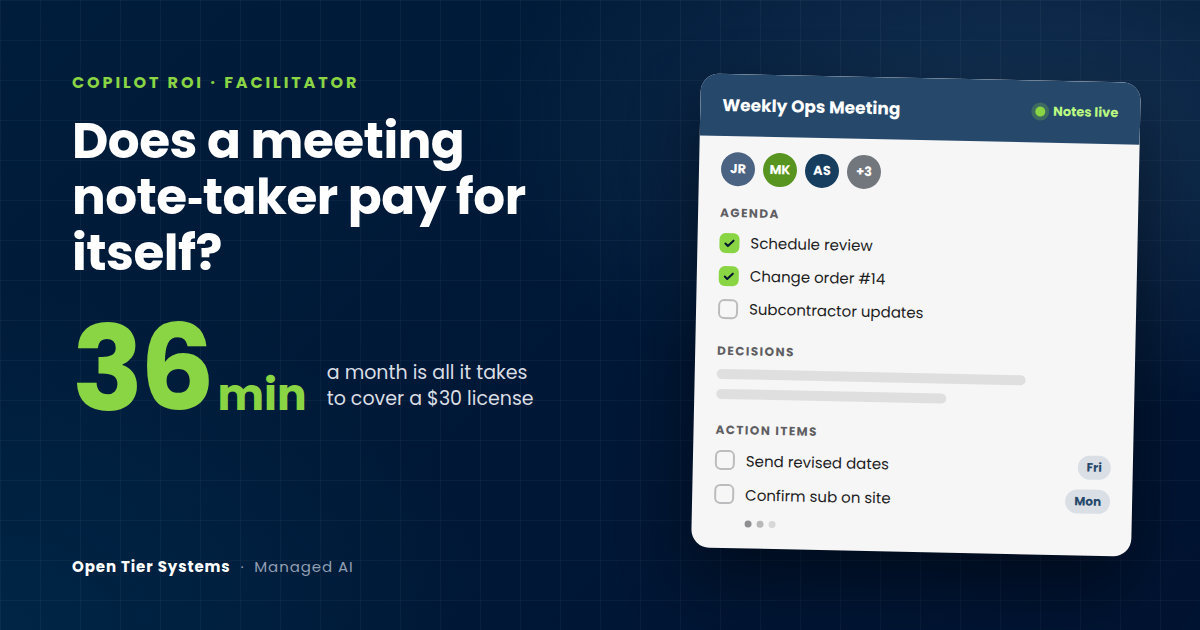
Take a project manager or office lead whose fully loaded cost is around $50 an hour. A $30 license is worth 36 minutes of their time.
So the question isn’t “will AI transform our business.” It’s “will this save one person about 36 minutes a month?”
Here’s what that looks like in practice. Say your PM runs four internal meetings a week: a project team huddle, a scheduling review, a weekly ops meeting, and a one-off or two. Before Facilitator, they spend maybe 10 minutes per meeting writing notes, cleaning them up, and sending the follow-up. That’s 40 minutes a week, close to 3 hours a month.
If Facilitator cuts that in half, you’ve saved about 1.5 hours a month, worth roughly $75 against a $30 license. That’s a 2.5x return on note-taking alone, before you count anything else.
The part that doesn’t show up in the math
The time savings are the easy number. The bigger payoff is what doesn’t fall through the cracks.
Every company has had the meeting where three people left with three different versions of what was decided. Somebody thought the change order was approved. Somebody thought the sub was handling it. Nobody wrote down the date. Facilitator’s notes are shared and visible while the meeting’s still running, so people catch the mistake while they’re still in the room, not two weeks later.
One missed follow-up on a job can cost more than a year of licenses. I won’t put a number on that because it’s different for every business, but you already know what your last one cost.
Where it won’t help (yet)
Be honest about the limits before you buy:
It only works in scheduled Teams meetings and Teams Rooms. Instant “Meet now” calls, regular Teams calls, channel meetings, and chats are out. Meetings with outside parties can also be limited, so if most of your important meetings are with owners, architects, or clients on their own systems, test it before you count on it.
Your tenant needs Loop turned on, since Facilitator’s notes are built on it. And the notes are visible to everyone in the meeting, which is the point, but it’s worth knowing before the first sensitive conversation.
Lastly, it’s only as good as the meeting. If your meetings don’t have an agenda or don’t end with decisions, Facilitator will faithfully record that too.
How to prove it in 30 days
Don’t license the whole company. Pick two or three people who run the most internal meetings. Have each one jot down how long note-taking and follow-up takes them for one week before you turn it on. Then run Facilitator on every scheduled meeting for a month and compare.
If they’re saving more than 36 minutes a month each, it’s paid for itself and you’ve got a real number to justify expanding. If they aren’t, you’ve spent under a hundred bucks to find out.
Let us run the pilot for you
We’ll handle the whole thing. We license Copilot for the two or three people you pick, make sure Loop and your Teams meeting settings are ready so Facilitator actually shows up, get them using it in the first week, and help you track the before-and-after numbers. At the end of the month you’ll know whether to expand, hold, or drop it, and you’ll have real numbers behind that call instead of a sales pitch.
If the math works, we roll licenses out to the rest of the team on one bill alongside the rest of your Microsoft licensing. If it doesn’t, you’re out a few licenses for a month.
Talk to us about a Copilot pilot.
Brian McCarthy is the President of Open Tier Systems, a managed IT and AI services provider in Blue Bell, PA.
About The Author